If you are looking for a free way to monitor for emergency account usage, and you have A3/A5, you can use Defender for cloud apps. Note this isn’t as realtime as sentinel or Azure Monitor.
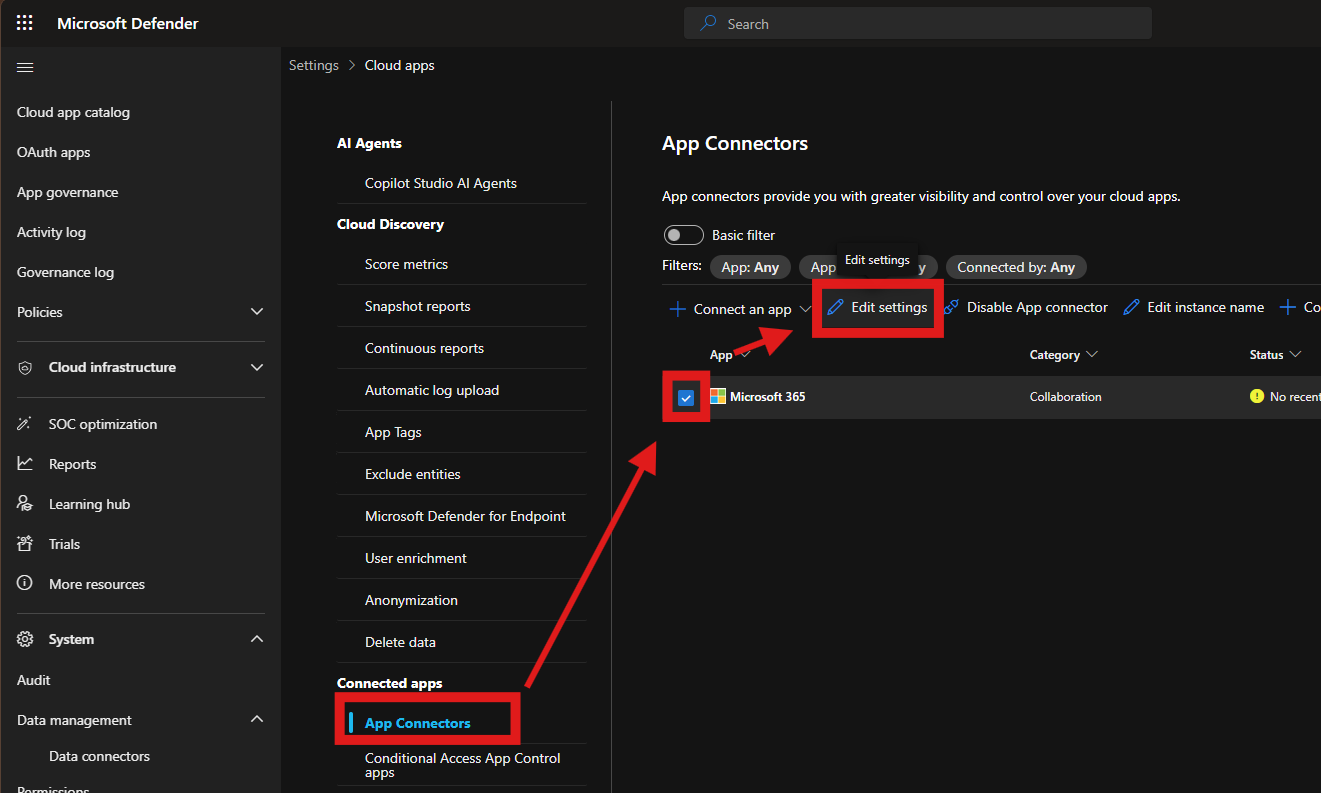
Before creating the alert policy, you will need to turn on the additional app connector options for Defender for Cloud apps.
Head to https://security.microsoft.com > Settings > Cloud apps > App connectors
Tick Microsoft 365 and edit settings
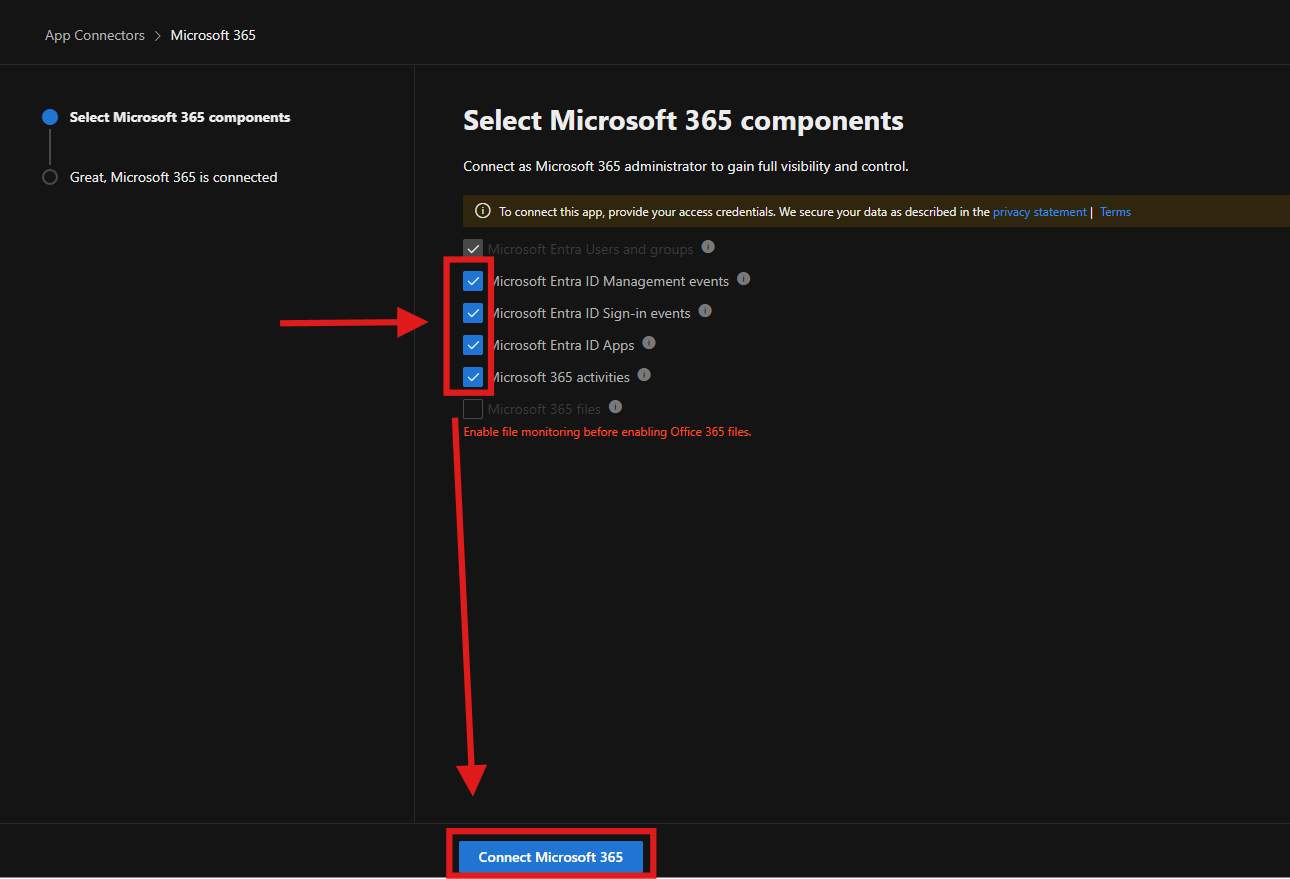
 Select all additional events and connect Microsoft 365 to save.
Now we can create the alert policy
Head to https://security.microsoft.com > Cloud apps > Policies > Policy Management
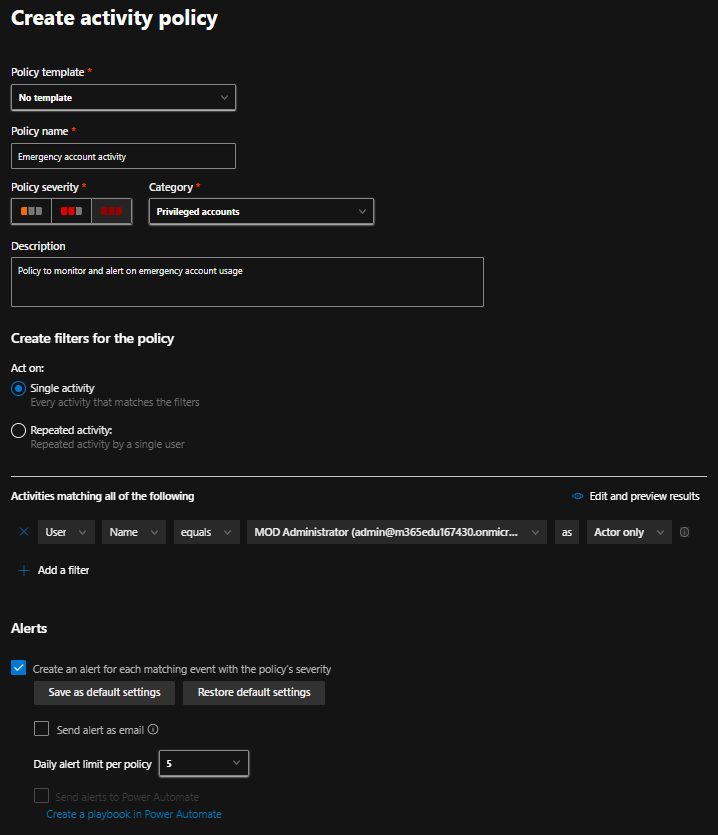
Create a new activity policy
Enter a policy name, e.g. Emergency account usage
Select high severity and the category of your choice (e.g. Privileged accounts)
Enter a description
Create filters to act on single activity
In the activities matching select user, name, equals and your emergency accounts
Setup alerts as per your requirements
You can also create conditional access based policies that monitors access and sessions utilizing the mcas.ms reverse proxy service, but this isn’t necessary.
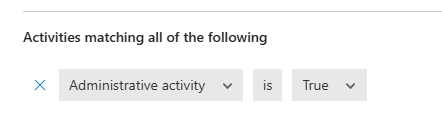
Additionally you could also create an activity policy that looks for any Administrative activity and alerts/monitors.